
InterstitialAd
Full-screen ad that displays at natural transition points -- between sessions, after a conversation ends, or at a message threshold. Users play a sponsored mini-game with an AI character.
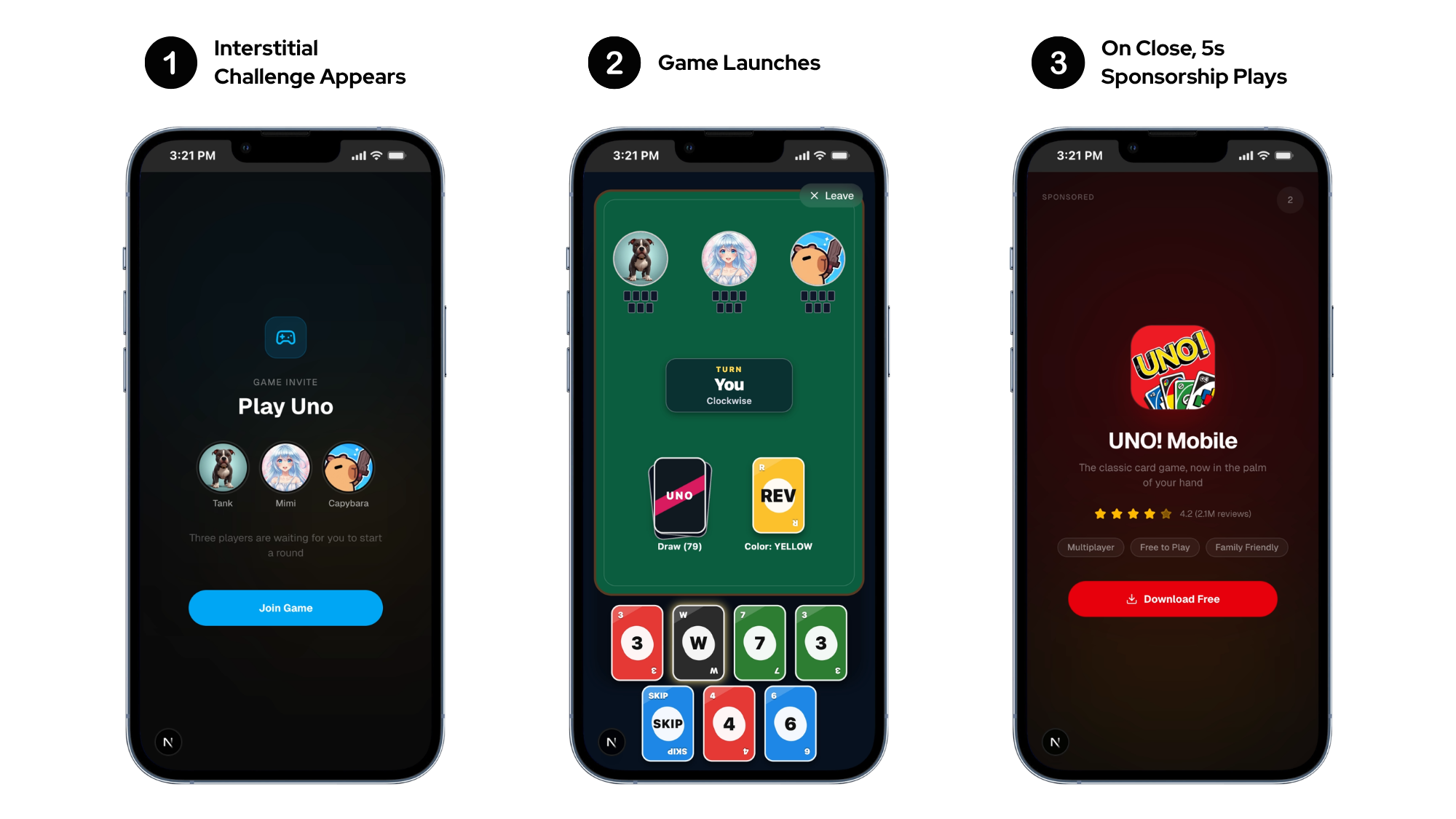
Basic Usage
import ad.simula.ad.sdk.ads.SimulaInterstitialAd
import ad.simula.ad.sdk.ads.SimulaInterstitialAdListener
import ad.simula.ad.sdk.ads.SimulaAdError

class ChatActivity : ComponentActivity() {
    private val interstitial = SimulaInterstitialAd("SIM-INT-XXXXXXXX")

    override fun onCreate(savedInstanceState: Bundle?) {
        super.onCreate(savedInstanceState)

        interstitial.listener = object : SimulaInterstitialAdListener {
            override fun onAdLoaded(ad: SimulaInterstitialAd) {
                // Ad is ready to show
            }
            override fun onAdFailedToLoad(ad: SimulaInterstitialAd, error: SimulaAdError) {
                // Retry with exponential backoff
            }
            override fun onAdClosed(ad: SimulaInterstitialAd) {
                // Next ad auto-preloads
            }
        }

        interstitial.load(
            charId = "reze-01",
            charName = "Reze",
            charImage = "https://cdn.example.com/avatars/reze.png",
        )
    }

    fun showInterstitial() {
        interstitial.show(this)
    }
}
AI Character Integration
Pass your app's character data so the character plays alongside the user in the ad playable experience. The character commentates, competes, and engages with the user during gameplay — improving the ad experience and raising payout. Omit to use a Simula default character.
Character context drives engagement
Passing character context lets the AI companion in the ad playable match your app's character — using their name, avatar, and personality. Users see a familiar face instead of a generic character, which increases play time and ad revenue.
| Parameter | Type | Required | Description |
|---|---|---|---|
charId | String? | No | Character identifier |
charName | String? | No | Character name displayed in game header |
charImage | String? | No | Character avatar URL |
charDesc | String? | No | Character description for AI context |
Metadata
Attach up to 10 key/value labels to segment your reporting. Set them before load():
interstitial.setMetadata("screen", "chat")                                  // upsert one key
interstitial.setMetadata(mapOf("screen" to "chat", "tier" to "free"))       // replace all
Keys: ≤64 chars, no $ prefix, no .. Values: ≤256 chars. Extra or invalid entries are dropped.
Showing the Ad
// Pass Activity explicitly (recommended)
interstitial.show(activity)

// Or use the SDK's tracked foreground Activity
interstitial.show()
Always pass an Activity when possible
Calling show() without an Activity relies on the SDK's automatic Activity tracking. If no Activity is in the foreground, the call fails with NoPresentationContext.
Listener Interface
All callbacks are delivered on the main thread. All methods have default no-op implementations.
| Method | Description |
|---|---|
onAdLoaded(ad) | Ad is preloaded and ready to show() |
onAdFailedToLoad(ad, error) | Load failed. Inspect error and retry with backoff |
onAdDisplayed(ad) | Ad is on screen |
onAdFailedToDisplay(ad, error) | Presentation failed. Call load() to try again |
onAdClicked(ad) | User tapped the CTA |
onAdImpression(ad) | Impression recorded (server impression beacon fired) |
onAdPaid(ad, adValue) | Estimated per-impression revenue available. See AdValue |
onAdClosed(ad) | User dismissed the ad. Next ad auto-preloads with the same character context |
Lifecycle
- Auto-preload on close: The SDK automatically preloads the next ad when the user dismisses the current one. You do not need to call
load()again afteronAdClosed. - 1-hour expiry: A loaded ad expires after 1 hour.
show()fails withStale-- callload()again. - Deduplication: Calling
load()with the same parameters within 5 minutes returnsDuplicateRequest. Wait for the retry window or change the character context.